What is a letter of accommodation?
When a student registered with DSP requests accommodations for your course, a Letter of Accommodation (LoA) (formerly called an Instructor Letter) is automatically sent to you through the MyDSP online faculty portal.
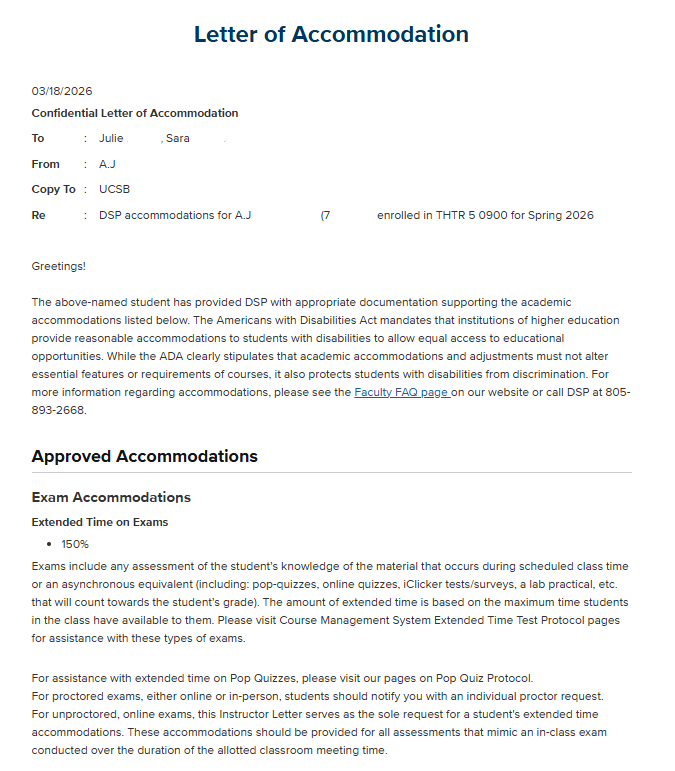
The Letter of Accommodation includes:
-
The student’s full name
-
The full name and email address of the student's DSP Disability Specialist
-
A list of approved accommodations the student has requested for your course
This letter serves to inform you of your responsibility to provide the accommodations requested under the Americans with Disabilities Act, and it may include accommodations that necessitate an interactive process with DSP or some preparation on your part.
What the Letter Confirms
If you receive a Letter of Accommodation, you can be assured that the student has provided the University with documentation establishing a disability under the legal definition. Students may only request accommodations that have been approved based on the documented disability and its academic impact.
If a student discusses disability-related needs but has not submitted a Letter of Accommodation, please refer them to the Disabled Students Program (DSP) to begin the registration process.
How to View and Acknowledge Letters of Accommodation
Step 1: Log Into the MyDSP Faculty Portal
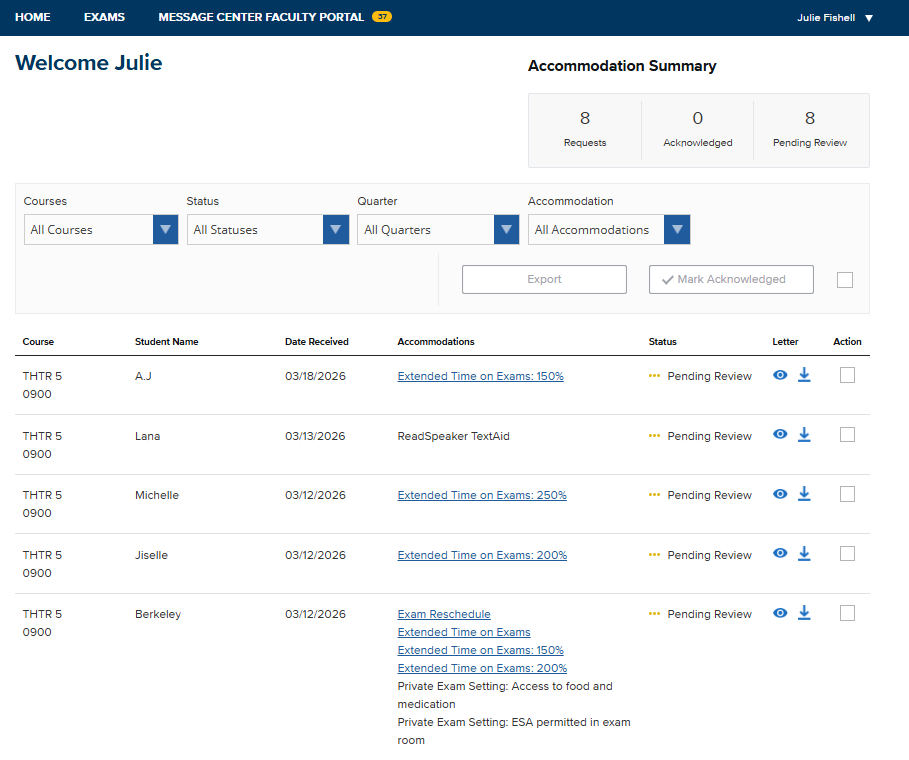
If students have sent you Letters of Accommodation, they will appear on your homepage.
The overview table includes the following columns (left to right):
- Course
- Student Name
- Date Received
- Requested Accommodations
- Acknowledgement Status
Step 2: View or Download the Letter
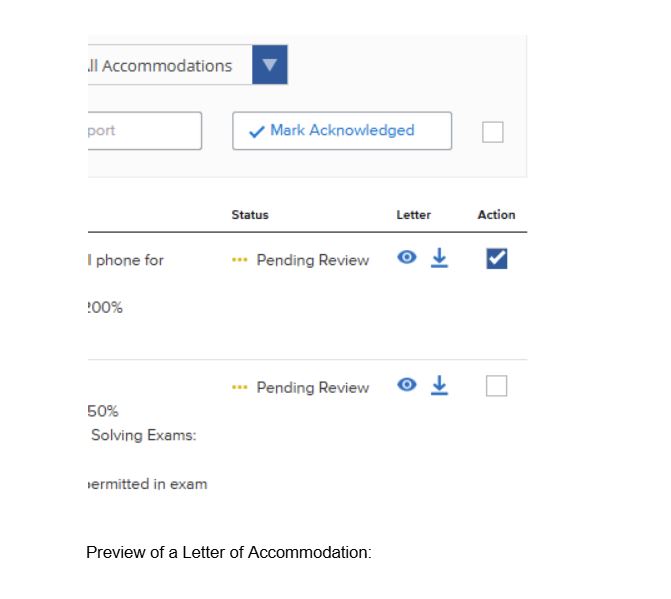
In the second column from the right (titled “Letter”):
- Click the downward arrow icon to download the full Letter.
- Click the eye icon to view the Letter in a new tab within the system.
Preview of a Letter of Accommodation:
Step 3: Acknowledge the Letter
To acknowledge a Letter:
- Check the box in the far-right column (titled “Action”).
- Click the white and blue Mark Acknowledged button.
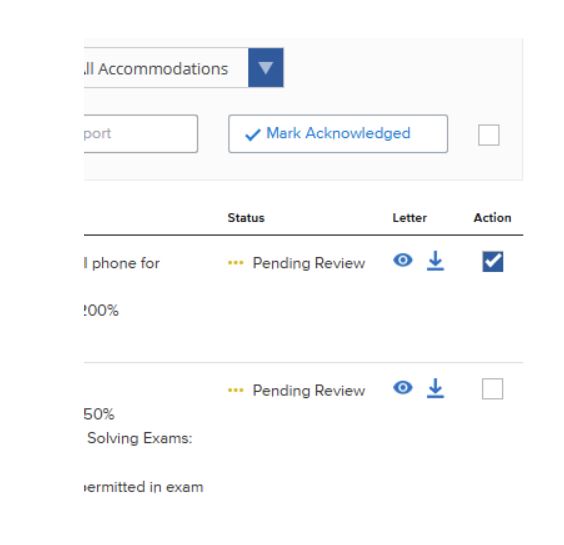
To acknowledge multiple Letters at once:
- Check multiple boxes individually, or
- Check the box next to the Mark Acknowledged button to select all letters.
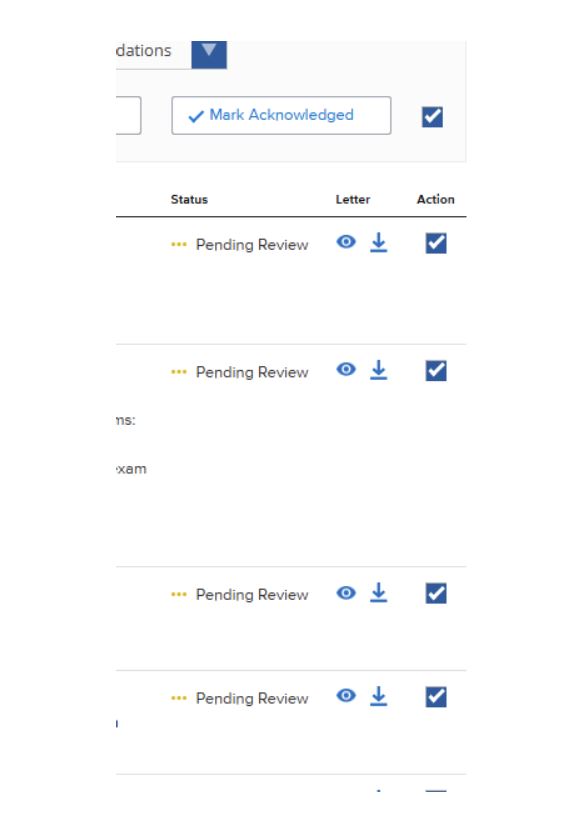
Once acknowledged, the status will change from “Pending Review” to “Acknowledged.”
- Letters marked Acknowledged automatically move to the bottom of the list.
- New Letters and those still Pending Review remain at the top for visibility.
Accommodation Descriptions
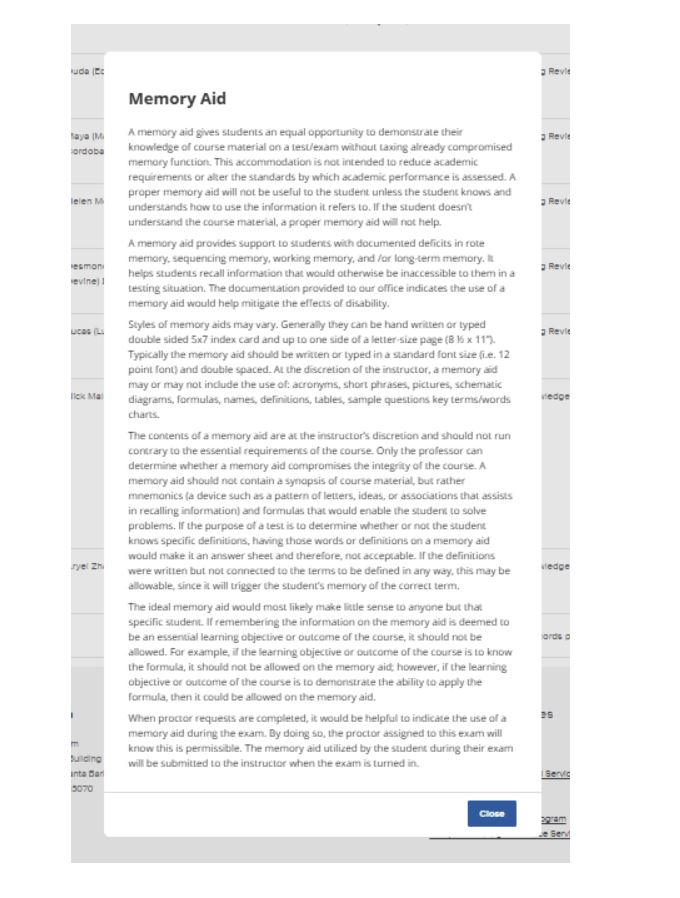
The Letter of Accommodation provides a brief description of each approved accommodation. For more detailed information, in the overview table, click any accommodation listed under the Accommodations column that includes a hyperlink.
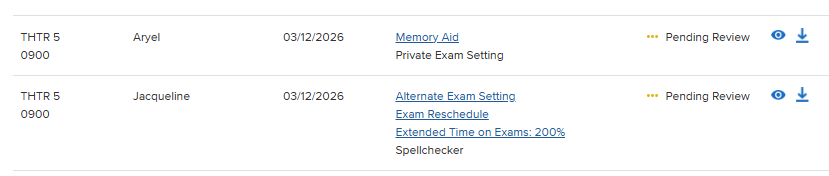
Clicking the hyperlinked accommodation will open a more comprehensive description with, if applicable, implementation guidance.
Sorting and Filtering Letters
The portal includes several filters to help you manage and review Letters efficiently.
You may filter by:
- Course
- Status (Pending Review vs. Acknowledged)
- Quarter
- Specific Accommodation
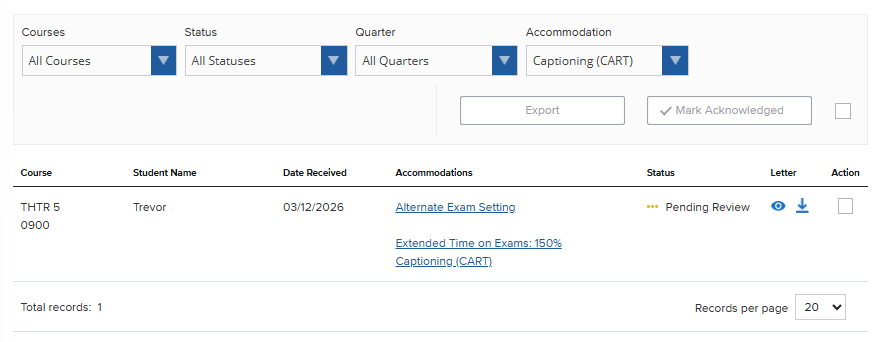
For example, if you select “Captioning (CART)” under the Accommodation filter, only students who have requested CART services will appear in the list.
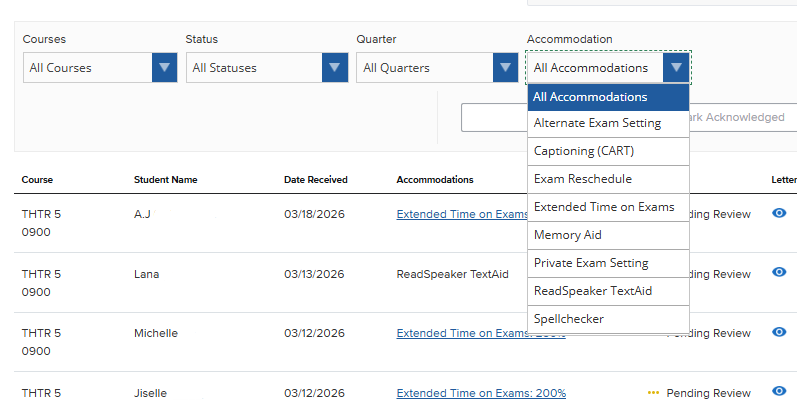
The student Trevor is the only student who has requested CART and will appear as the only ‘record’ on the list if that specific accommodation is selected.