Before you can schedule an exam, you must first submit your accommodation requests and send your Letter(s) of Accommodation (LoA) to your instructor(s). If you have not done this, please review the instructions on requesting accommodations.
Step 1: Important Things to Know Before Scheduling
Where DSP Exams Take Place
DSP exams often (but not always) take place in the Academic Testing Center, which is operated by the Office of Undergraduate Education.
The Testing Center is located in the 2400 wing of the Music Building (formerly the Music Library). You may wish to use the UCSB Campus Map or Google Maps to locate the building in advance.
Scheduling Timeline
DSP requires at least 10 days’ notice to guarantee that a proctor and room will be available.
If an exam has not been posted 14 days before the exam date, follow up with your instructor and copy testproctor@sa.ucsb.edu on the email. You may refer your instructor to DSP if they have questions about creating exams in the portal.
Non-Proctored Online Exams
For non-proctored, online exams:
- You only need to notify your instructor of your accommodations through your Letter of Accommodation.
- You do not need to confirm or schedule individual exam times in MyDSP, but it is a good idea to communicate with your instructor ahead of the exam to confirm they have implemented your accommodations, such as extended time, in the online testing platform.
Computer-Based Testing (CBT)
The Academic Testing Center also hosts a computer-based testing facility (CBTF) where all students in a course take the exam asynchronously at the Testing Center. If your class is participating in CBT, your instructor will notify you at the beginning of the quarter. Accommodated CBT exams follow a different process than accommodated paper-based or Canvas exams that are not taking place through the CBTF. Your instructor will provide additional instructions if your course uses CBT.
Check Your Exam Arrangements Before Exam Day
On exam day (or the night before), log into MyDSP and confirm your exam details in case of last-minute updates. If there are any issues with your exam administration, contact the DSP front office immediately at 805-893-2668.
Check the Exam Location
Review your exam location in advance and plan accordingly. You do not receive additional time if you arrive late.
DSP Proxies
Some departments (e.g., Chem, Econ, Physics, PBS) have a staff member, usually an undergraduate advisor, who enters exam information and communicates with DSP on behalf of the faculty in their department. These staff members are called DSP Proxies.
Step 2: Confirm Your Exam Time and Details
Available exams will appear under the Confirm Exams section on the homepage.
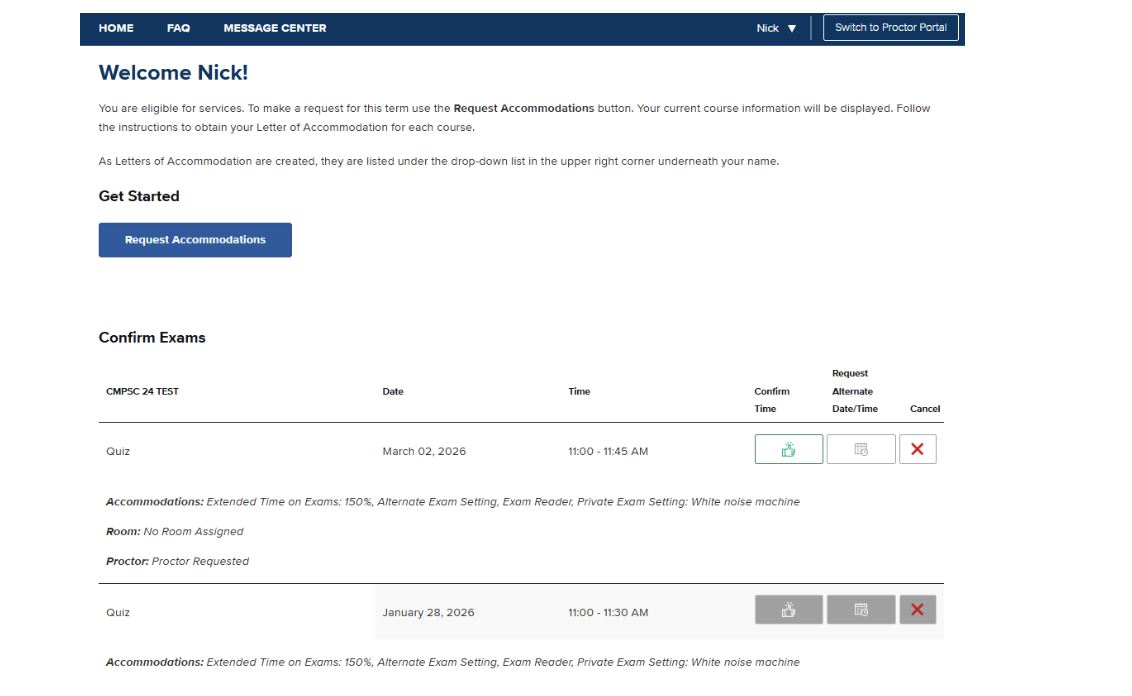
If an exam is not listed, this means the instructor or the department's DSP proxy has not yet entered the exam information into the system.
Review Your Exam Details Carefully
Before confirming:
- Verify the date and start time
- Confirm your approved accommodations
- Ensure the listed duration reflects your extended time
If your exam duration does not reflect your approved extended time:
- Contact your instructor
- Copy testproctor@sa.ucsb.edu
- Request confirmation of the class exam duration
DSP cannot adjust exam times without confirmation from the instructor or department.
Confirm Your Exam
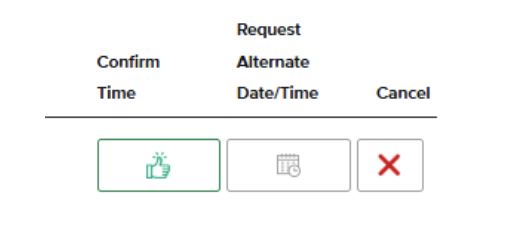
If all information is correct, click the thumbs-up button under the Confirm Time column.
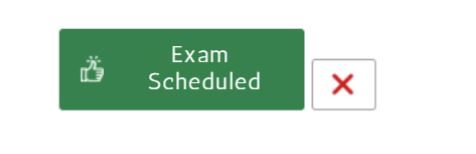
The button will turn green and display “Exam Scheduled.”
Request an Alternate Date or Time
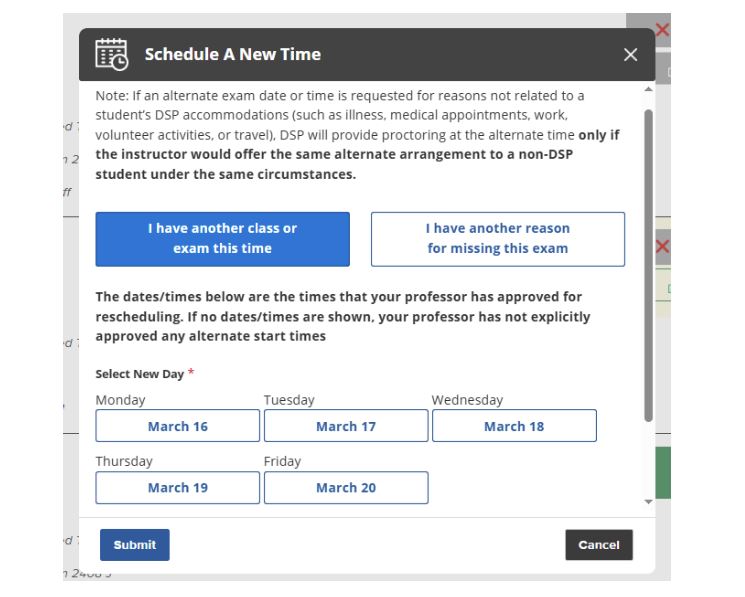
If your exam time conflicts with another class or exam due to your DSP accommodations (for example, extended time or stop-the-clock breaks), you may request an alternate exam time if offered by your instructor.
To request an alternate time:
- Click the gray calendar icon
- Select the alternate date/time (if options are available)
- Provide your reason for the request (if applicable)
- Submit
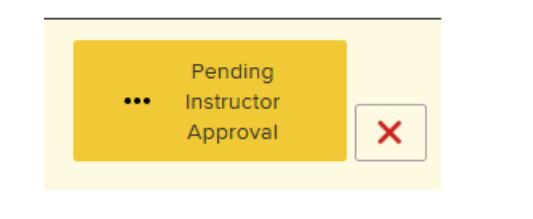
The button will turn yellow and display “Pending Instructor Approval.” In some cases, the button may turn purple and display "Pending DSP Review."
Important Notes About Alternate Requests
- If you request an alternate date/time for reasons unrelated to your accommodations (such as illness, medical appointments, work, travel, or volunteer activities), DSP will provide proctoring only if the instructor would offer the same arrangement to a non-DSP student under the same circumstances.
- Even with instructor approval, last-minute alternate time/date requests may not be possible if proctors or rooms are unavailable. Make requests for alternate times as early as possible to allow DSP and the Testing Center sufficient time to coordinate your exam.
You should plan to take the exam at the originally scheduled time unless and until the alternate time has been officially approved and confirmed.